Sorry for the late reply.
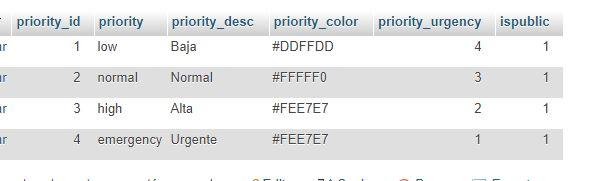
Mi tabla ost__tickets_priority es:
osTicket Awesome overrides those settings. The priority colors are set by CSS instead. If you want to change them, add the following to /osta/user-styles.css:
td.osta_priority.osta_priority_emergency {
background: url(../img/priority-pattern-overlay.png) #fc6872!important;
}
td.osta_priority_high {
background: url(../img/priority-pattern-overlay.png) #e5bc61!important;
}
td.osta_priority_normal {
background: url(../img/priority-pattern-overlay.png) #a5cb59!important;
}
td.osta_priority_low {
background: url(../img/priority-pattern-overlay.png) #5bb3f5!important;
}
Now you can change the colors to whatever you desire.
Desde el celular se ven de un color y desde la pc de otro, porque puede ser?
I’m not sure what is going on. That is what closed tickets should look like. Perhaps you broke something accidentally while trying to change the priority colors.
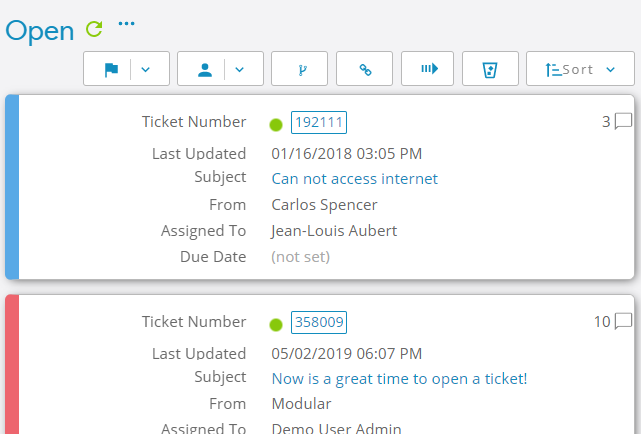
Priority colors do work in osTicket Awesome’s mobile layout, as you can see:


































 <br />